
Flight Tracker - Flights25
Rocketech sp. z o.o.Travel & Local
4.5360.00 Reviews
- Version
- 1.4.7
- Installs
- 100.00K
- Age Rating
- Everyone
Screenshots
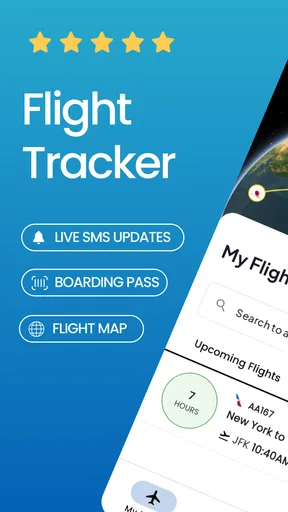
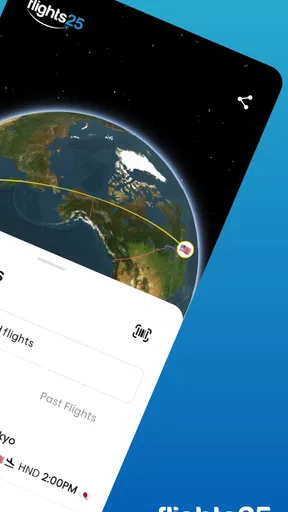
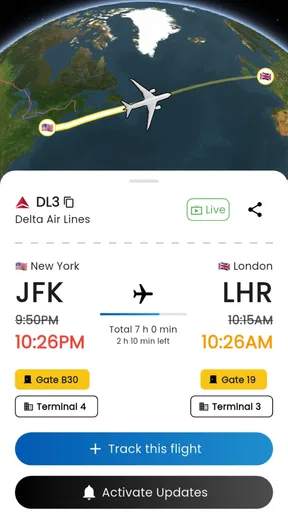
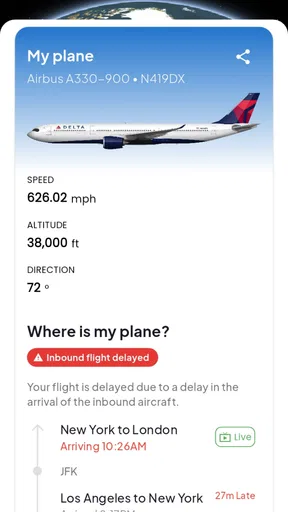
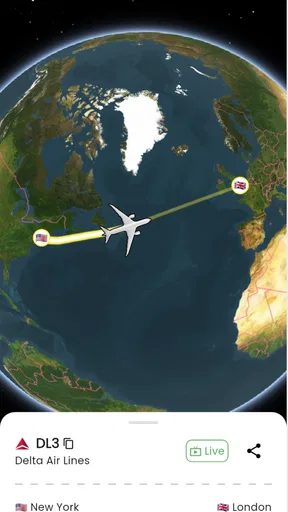
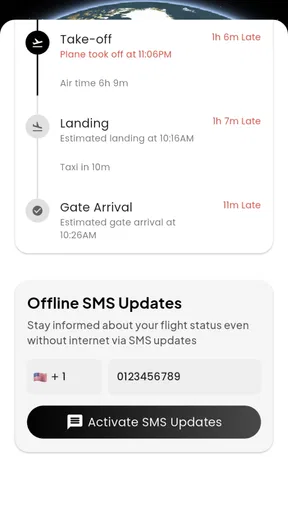
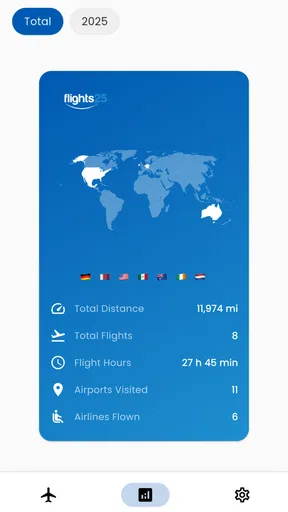
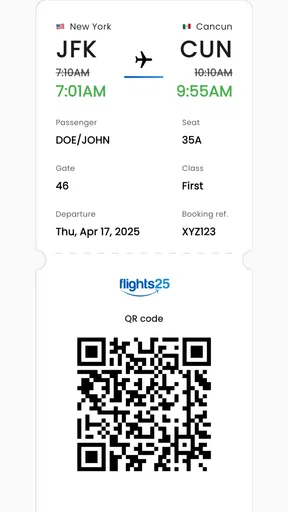
Our Review of Flight Tracker - Flights25
 Analysis by Appyee
I think the most useful way to judge Flight Tracker - Flights25 is to ask what you need from a flight app when plans are still moving: a quick way to check a journey, or a broader travel organizer. This free travel app, made by Rocketech sp. z o.o., is focused on tracking flights. Its current version is 1.4.1, and it has a 4.6 average rating from around 10,000 ratings, with over 100,000 installs. That gives it a substantial audience, though it does not by itself tell you whether its particular mix of tools fits your routine.
What its current focus means in practice
For me, the best reason to try it is having flight information gathered in one place instead of repeatedly checking a carrier’s app, an airport display, and messages from the person you’re meeting. A traveler can use a tracker to keep an eye on a departure, while someone picking up a friend can follow the same journey and adjust when to leave home. Those are different needs, but both benefit from a dedicated flight view.
It is less compelling if you only want help buying tickets or building a complete holiday itinerary. A flight tracker is not a substitute for an airline’s booking tools, and I would keep the airline’s own app or confirmation details handy for tasks tied to a particular booking. I see Flights25 as a focused companion: useful between booking and arrival, rather than the one app that should manage every part of a trip.
Version history, without assuming what changed
The app was released on March 7, 2024, and version 1.4.1 is its current version. That tells me the product has moved beyond its initial release, but a version number alone does not reveal which functions have changed or how they behave. I would avoid treating a newer version as proof that every airport, alert, or detail will work exactly as I expect.
For an existing user, the practical question is whether the current version handles the flights and routine checks they rely on. Before an important trip, I would update the app when convenient, then look up the itinerary early enough to notice any issue with the flight details. That simple check is more reassuring than discovering on departure day that I cannot find the journey I meant to follow.
First Impressions and Interface
When I first opened Flight Tracker - Flights25, I was immediately struck by its clean, intuitive design. The developers have done a stellar job ensuring that everything you need is just a tap away. The app is organized into neat sections, with easy-to-read fonts and a color scheme that's both professional and calming. No need to fumble around trying to find your way—everything feels like it's exactly where it should be.
One of the first things I noticed was how quickly the app loads information. Whether it's checking departure times, gate changes, or even baggage claim updates, Flight Tracker - Flights25 delivers the data almost instantaneously. As someone who hates waiting, this was a big plus for me.
Features That Stand Out
Alright, let's dive into some of the features that really make this app shine. First off, the real-time flight tracking is superb. You can track flights from all over the world, and the app provides updates down to the minute. It's like having a personal air traffic control center in your pocket.
The notifications feature is another highlight. You can set up alerts for flight delays, gate changes, or even weather conditions affecting your flight. These notifications are customizable, allowing you to choose how and when you receive them—whether it's a gentle nudge or a full-on alarm.
And let's not forget the nifty airport maps. Ever been in a massive airport and felt utterly lost? With Flight Tracker - Flights25, you can pull up detailed maps of the airport and navigate with ease. It's like having a virtual guide showing you the fastest route to a much-needed coffee or your next gate.
Making a flight tracker useful, not noisy
Flight alerts can quickly become distracting if every change competes for attention. I’d start by enabling only the notifications that would change what I do: a meaningful schedule change, for example, rather than every routine status update. If the app offers choices for alert timing or sound, tailoring those settings before travel is more practical than fiddling with them while boarding is being called.
A good workflow is to check the itinerary once after adding it, then use notifications for changes and open the app when I need context. This avoids turning a tracker into a screen I refresh every few minutes. I would still compare a time-sensitive gate instruction with the airport display or airline announcement; the app can help me stay informed, but airport staff and official boards remain the sensible source for immediate directions.
Airport maps are most useful when I look ahead rather than wait until I am already rushing. If I have a connection, I can use a map to orient myself after landing and identify the general route toward the next gate. I would not assume that a map guarantees the fastest route in a crowded terminal or accounts for every temporary closure. For a tight connection, following airport signs and staff guidance matters more than trying to optimize a route on a phone.
Usability and Experience
Using the app feels like having a personal assistant dedicated to ensuring your travel goes smoothly. I found the interface to be incredibly user-friendly. Even if you're not tech-savvy, the app guides you through each feature with ease. The loading times are minimal, and I didn’t encounter any crashes or bugs during my use.
One thing I absolutely loved was the integration with other services. You can sync your flight details with your calendar, making it easier to plan around your trips. It's these little touches that really elevate the app from good to great.
Where it fits beside airline and airport apps
The usual alternatives solve related but not identical problems. An airline app is the better choice when I need booking-specific actions or want to handle a ticket directly with the carrier. An airport app can be more relevant for terminal services and local instructions. A general travel organizer may be preferable if I want flights, hotels, and other reservations together. Flights25 makes more sense when the immediate job is keeping track of a flight and its progress.
For a family member collecting a passenger, a tracker can reduce guesswork: check the flight before leaving, then keep an eye on changes while heading to the airport. For someone with several legs on one trip, I would use it to monitor each flight separately and keep the airline confirmations accessible as a backup. These habits make the app useful without asking it to replace tools that are better suited to booking or airport operations.
There are also practical limits to consider. Flight details are only useful if the right journey is being followed, so I would double-check the flight identifier and travel date when setting things up, especially for a return trip or a journey with a connection. Notifications depend on having a working connection and suitable device settings; if I am offline or alerts are silenced, I would not rely on a phone notification as my only source of an important change.
The app is free to download, but it includes in-app purchases ranging from $8.49 to $229.99 per item. I would look carefully at what an optional purchase unlocks before paying, and first decide whether the free experience already covers my needs. That price range is wide enough that I would not treat every purchase as a small add-on. If I only track an occasional flight, paying for extra functionality may not make sense; a frequent traveler should compare the specific paid benefit with the tools they already use.
Who should try it—and who may be happier elsewhere
I’d recommend giving it a look if you travel often, meet arriving passengers, or simply prefer a dedicated place to follow flight progress. Its Everyone content rating makes it suitable for a broad audience, and its travel focus is easy to understand. It may also suit less frequent travelers who want to prepare in advance rather than search for a tracking tool while already at the airport.
I would skip it if my main goal were booking the cheapest fare, changing a reservation, or coordinating every part of a holiday. Those jobs are better handled by booking providers, airlines, or itinerary organizers. I would also avoid relying on any single tracking app as the authority for urgent gate instructions. Keeping the airline’s details and airport signs in view is a sensible backup, not a criticism unique to Flights25.
Before a trip, I would check whether the flight can be found, make sure the date is right, and decide which alerts I actually want. If calendar syncing is part of my routine, I would use it to place the flight alongside other commitments, then verify that the calendar entry is accurate. That small setup step can prevent a common nuisance: having the right flight information but looking at it on the wrong day or in the wrong place.
Conclusion: A Must-Have Travel Companion
If you're someone who travels frequently or even just a couple of times a year, Flight Tracker - Flights25 is a must-have. It offers a level of convenience and reliability that can make traveling much less stressful. From real-time updates to comprehensive airport maps, this app has thought of everything to make your journey as smooth as possible.
In a world where travel can be unpredictable, having a tool like Flight Tracker - Flights25 gives you peace of mind and the ability to adapt quickly to changes. So next time you're planning a trip, make sure this app is part of your travel toolkit. You won't regret it!
What I would keep an eye on
For current users, the most useful measure of future progress is whether the app continues to make flight lookup and day-of-travel checks straightforward. I would pay attention to whether it remains clear about changes, whether its map and alert tools suit the airports I actually use, and whether any paid option offers something I genuinely need. Those are more meaningful tests than a version number on its own.
My overall view is positive, with one qualification: a tracker is valuable when it reduces uncertainty, not when it encourages me to trust a single screen for every travel decision. Flights25 offers a focused way to follow a journey, and its combination of flight updates, alerts, maps, and calendar integration can be convenient. I’d use it as part of a small travel toolkit, while keeping airline confirmations and airport information close for the decisions that matter most.
Verdict
Strengths of Flight Tracker - Flights25
- Real-time flight updates enhance travel planning.
- User-friendly interface simplifies navigation.
- Customizable alerts for flight changes.
- Global coverage with extensive airport database.
- Offline access to saved flight info.
Limitations of Flight Tracker - Flights25
- In-app ads can be distracting at times.
- Subscription needed for premium features.
- Limited support for older device models.
- Occasional data sync issues reported.
- Not all airports have detailed data.
Other Releases by Rocketech sp. z o.o.
View All
Vessel Tracking - Ship Radar
Maps & Navigation4.4
Similar Picks in This Category
View All
Google Maps
Google LLC3.4

Google Maps Go
Google LLC4.1

Booking.com: Hotels & Travel
Booking.com Hotels & Vacation Rentals4.8

Google Earth
Google LLC3.8

Skyscanner Flights Hotels Cars
Skyscanner Ltd4.8

trivago: Compare hotel prices
trivago N.V.4.4
Frequently Asked Questions
What features does Flight Tracker - Flights25 offer?
Flight Tracker - Flights25 provides real-time flight tracking, allowing users to monitor flight statuses and receive updates on delays or cancellations. It also offers airport information, terminal maps, and weather updates. Additionally, users can set notifications for specific flights and access historical data for past flights.
Is Flight Tracker - Flights25 free to use?
Flight Tracker - Flights25 offers a free version with basic functionalities. However, for advanced features such as ad-free usage, detailed flight history, and premium customer support, there is a subscription model available. Users can choose a monthly or annual plan depending on their needs.
How accurate is the flight tracking information?
The app uses data from multiple reliable sources, including airlines and airports, to provide accurate and up-to-date flight information. While it strives for precision, users should note that occasional discrepancies can occur due to unforeseen circumstances like sudden weather changes or technical issues.
Does Flight Tracker - Flights25 work offline?
Flight Tracker - Flights25 requires an internet connection to provide real-time updates and accurate flight information. However, users can access previously downloaded data and some offline features like terminal maps, which can be useful when connectivity is limited.
Can I track multiple flights simultaneously with Flight Tracker - Flights25?
Yes, the app allows users to track multiple flights at once. You can add several flights to your watchlist and receive notifications for each one. This feature is particularly useful for users managing travel itineraries for multiple people or tracking various flights for business purposes.
